Web UI
Launch with:
Main view
The default view shows every session you've ever run, grouped by project on the left.
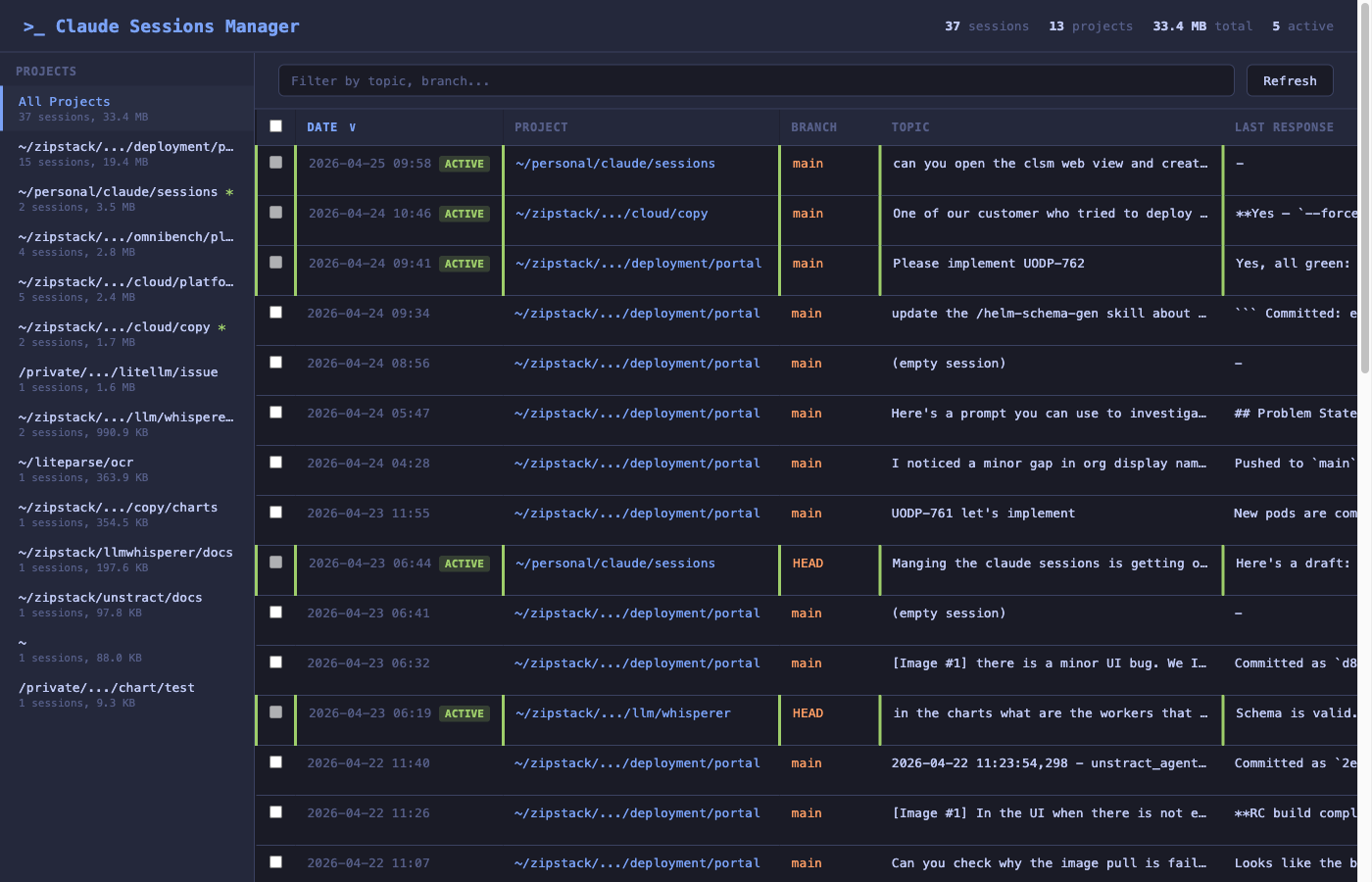
What you're looking at:
- Header — totals across all sessions (count, projects, on-disk size, currently active sessions).
- Projects sidebar — every project with a
~/.claude/projects/...directory. The*marker means at least one session in that project is currently active. Click any row to scope the table to that project. - Sessions table — date, project, branch, the user's first prompt (
Topic), Claude's last response, message count, on-disk size, and per-row action buttons. ACTIVEbadge — the green badge marks sessions that are still being written to (i.e. aclaudeprocess has the JSONL open). These rows have their delete button disabled so you can't accidentally nuke a live session.
Filtering by project
Click any project in the sidebar to filter the table. The project column drops out (since it's redundant), and only that project's sessions remain.
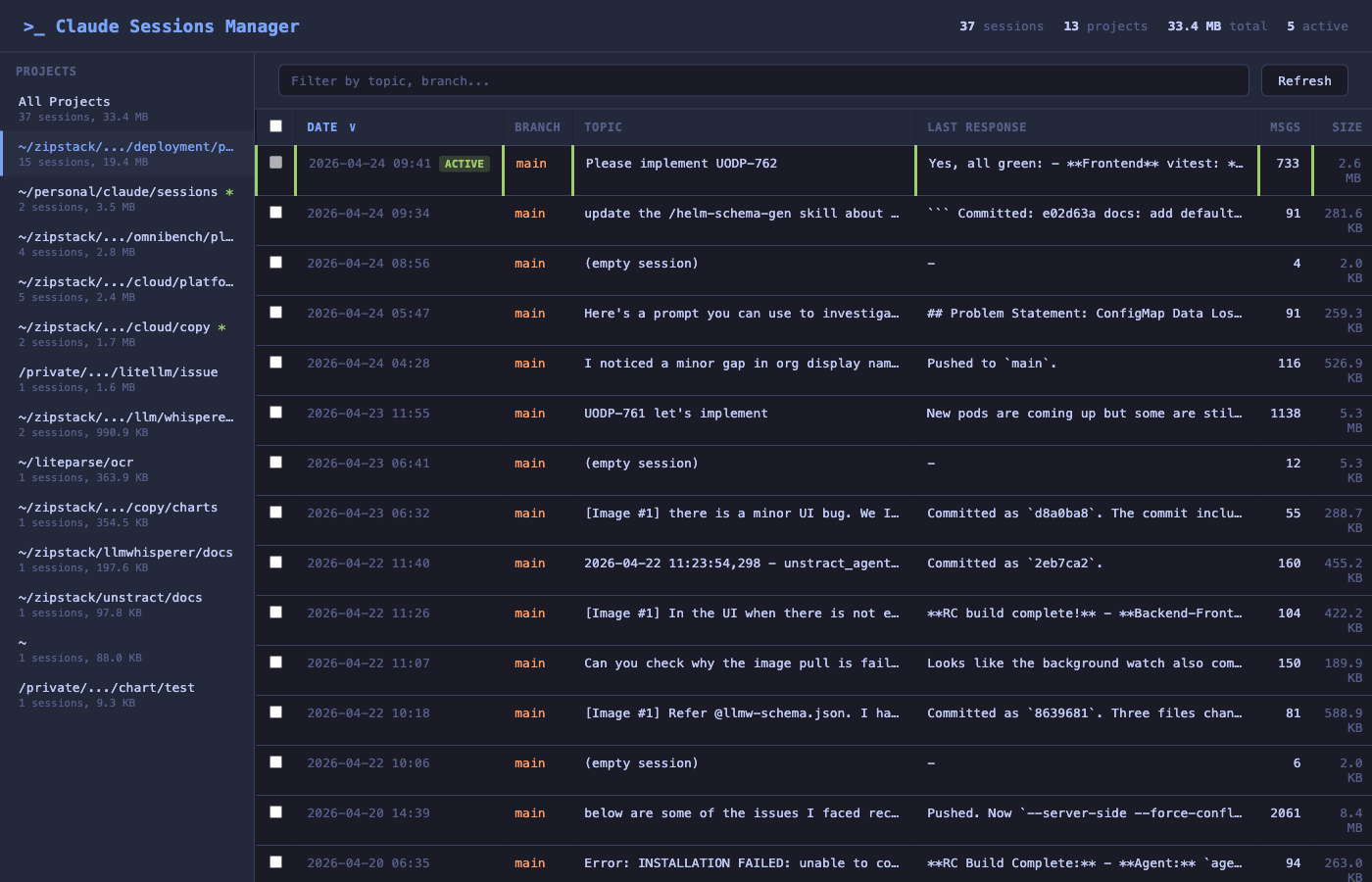
Click All Projects at the top to clear the filter.
Searching
The text box above the table filters by topic, branch, or first message — useful when you remember roughly what you were working on but not which project it was in.
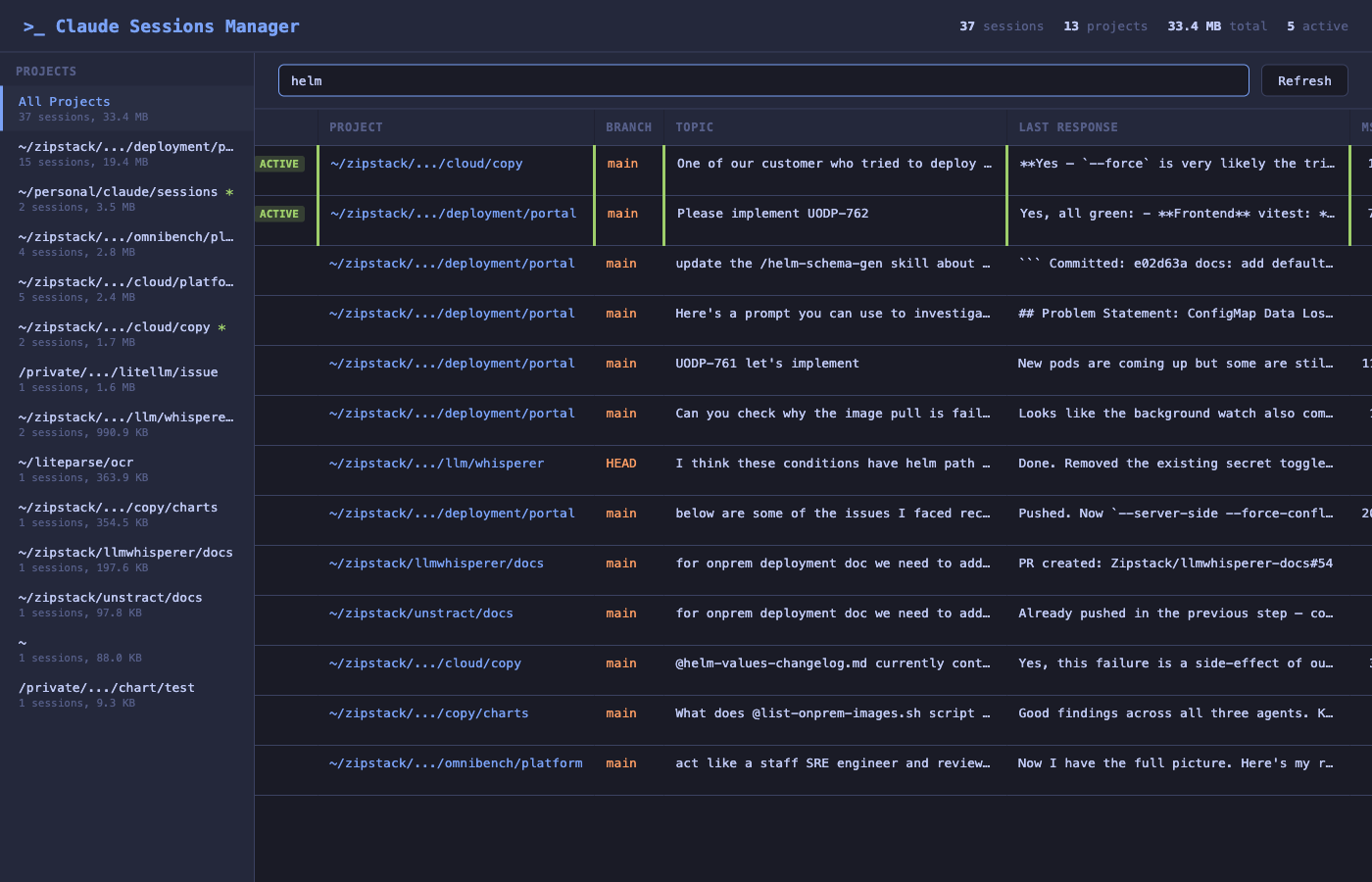
Searching for helm here surfaces every session that mentioned helm in any field, across every project.
Session details
Click Info on any row to open the details panel.
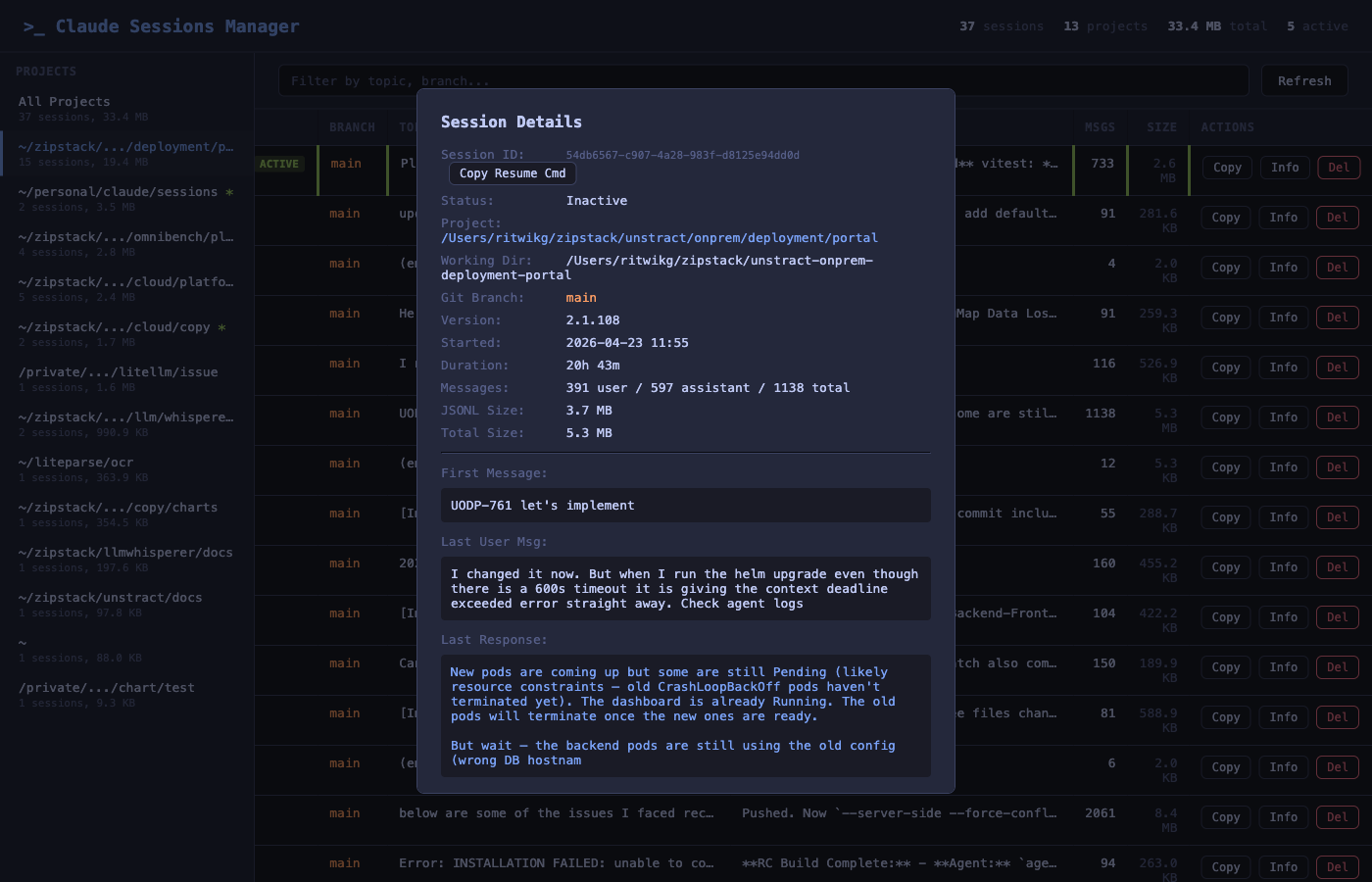
This panel gives you everything needed to triage a session at a glance:
- Session ID with a one-click Copy Resume Cmd button — paste it into a terminal to resume the session in Claude Code.
- Status, project, working directory, branch, Claude version.
- Started + duration — when the session began and how long it has been running.
- Message counts — user / assistant / total.
- JSONL size and total on-disk size (transcript + tool results + file history).
- Usage / context — model(s) used, total tokens (input, output, cache read with hit ratio, cache write), service tier, and any web search / web fetch counts. Aggregated from every assistant message in the session.
- First message, last user message, last response — enough context to remember what the session was about without having to resume it.
Per-row actions
Each row exposes three buttons:
| Button | Action |
|---|---|
| Copy | Copies the claude --resume <session-id> command to your clipboard. |
| Info | Opens the details panel shown above. |
| Del | Deletes the session — JSONL transcript, tool results, file history. Disabled for active sessions. |
Bulk delete
Use the checkboxes in the leftmost column to select multiple sessions, then trigger the bulk-delete action. Active sessions are excluded automatically — their checkboxes are disabled.